Managing inventory sounds simple until your business starts growing.
A few products can easily become hundreds or thousands of SKUs. Then you have multiple suppliers, customer orders, warehouses, stock transfers, purchases, returns, and sales to keep track of.
At that point, spreadsheets and manual stock records can quickly become difficult to manage.
This is where inventory management software becomes valuable.
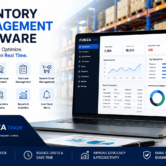
A modern inventory management system gives businesses a centralized way to track products, monitor stock levels, manage warehouses, control purchasing, and understand inventory movement in real time.
For wholesalers, distributors, trading companies, and businesses handling large product catalogs, the right inventory software can make everyday operations faster, more accurate, and easier to control.
What Is Inventory Management Software?
Inventory management software is a business system that helps companies monitor and control their stock from purchasing to sales and distribution.
Instead of relying on spreadsheets or separate records, businesses can maintain inventory information in one centralized system.
Depending on the software, businesses can manage:
- Product information
- Stock quantities
- Purchases
- Sales
- Stock transfers
- Warehouses
- Suppliers
- Customers
- Barcodes
- Inventory valuation
- Stock adjustments
- Inventory reports
The biggest advantage is visibility.
Instead of asking employees to check different files or warehouses, management can quickly see what is available, where it is located, and how inventory is moving.
Why Is Inventory Management Important?
Poor inventory management can quietly increase business costs.
Imagine having a product in high demand but discovering that the warehouse is out of stock. On the other hand, you may have thousands of units sitting in storage that aren’t selling.
Both situations can affect profitability.
Effective inventory management helps businesses maintain the right balance between product availability and inventory costs.
It can help companies:
- Avoid unnecessary overstocking
- Reduce stock shortages
- Improve order fulfillment
- Reduce inventory errors
- Track product movement
- Improve warehouse efficiency
- Make better purchasing decisions
- Maintain accurate stock records
For businesses with large inventories, these improvements can have a significant impact on daily operations.
Signs Your Business Needs Inventory Management Software
Not every business needs sophisticated inventory software from day one.
However, certain signs indicate that your current system may no longer be enough.
You may need an inventory management system if:
You Rely Heavily on Spreadsheets
If employees constantly update multiple Excel files, mistakes and duplicate information can become difficult to avoid.
You Have Multiple Warehouses
Tracking inventory across different locations becomes increasingly complicated without centralized stock management.
You Manage Thousands of Products
Large product catalogs require faster ways to search, track, update, and report inventory.
Stock Numbers Don’t Match
Frequent differences between physical stock and recorded stock are a major warning sign.
Purchasing Is Based on Guesswork
Without accurate inventory data, purchasing teams may order too much or too little stock.
Preparing Reports Takes Too Long
If employees spend hours preparing inventory reports, automation can significantly improve productivity.
Key Features of Inventory Management Software
The best inventory management software should do more than simply show how many products are available.
Here are the features businesses should look for.
1. Real-Time Inventory Tracking
Real-time stock tracking allows businesses to see inventory changes as transactions happen.
Purchases, sales, returns, transfers, and adjustments can be reflected in the system, giving management a more accurate view of current stock.
This is especially important for businesses where inventory changes frequently throughout the day.
2. Multi-Warehouse Management
Managing one warehouse is relatively straightforward.
Managing several warehouses is a different challenge.
Multi warehouse inventory management allows businesses to monitor stock across different locations from a centralized system.
You can track:
- Warehouse stock
- Stock transfers
- Incoming inventory
- Outgoing inventory
- Available stock
- Warehouse-specific reports
This gives businesses better control as they expand into new locations.
3. Purchase Management
Inventory management starts with purchasing.
A connected system allows businesses to monitor supplier purchases and understand how incoming products affect available stock.
Purchase management can include:
- Supplier records
- Purchase requests
- Purchase orders
- Goods receiving
- Purchase history
- Supplier pricing
- Purchase reports
This connects procurement with inventory instead of treating them as separate processes.
4. Sales & Inventory Integration
Every sale affects inventory.
When sales and inventory systems are connected, stock information can update automatically after transactions.
A typical process can look like:
Quotation → Sales Order → Invoice → Delivery → Inventory Update
This reduces repetitive data entry and gives sales teams better visibility into product availability.
5. Barcode Management
For businesses handling large product catalogs, manually searching for products can waste significant time.
Barcode management makes product identification and stock processing faster.
Employees can scan products instead of manually entering product codes, helping reduce data-entry mistakes and improving transaction speed.
6. Stock Transfers
Businesses operating multiple warehouses frequently move products between locations.
Inventory software can record these transfers and maintain an accurate history of stock movement.
This helps answer questions such as:
- Where was the product transferred?
- Which warehouse received it?
- How much stock was moved?
- When was the transfer completed?
7. Inventory Reports & Analytics
Inventory data becomes much more useful when businesses can turn it into actionable information.
An inventory management system can provide reports covering:
- Current stock
- Inventory valuation
- Stock movement
- Purchase history
- Sales performance
- Fast-moving products
- Slow-moving products
- Warehouse stock
- Stock transfers
These reports help business owners make better decisions about purchasing, storage, and sales.
Benefits of Using Inventory Management Software
The right inventory management system can improve several areas of your business.
Better Inventory Accuracy
Automated stock updates reduce the need for repetitive manual entries and help maintain more accurate inventory records.
Lower Inventory Costs
Better visibility helps businesses identify slow-moving products and avoid unnecessary stock accumulation.
Faster Order Processing
Employees can quickly check product availability and process customer orders without searching through multiple systems.
Improved Warehouse Operations
Warehouse teams can monitor receiving, dispatch, transfers, and stock levels more efficiently.
Smarter Purchasing
Purchasing decisions can be based on actual inventory information rather than assumptions.
Better Customer Service
Accurate stock information makes it easier to provide customers with reliable availability and delivery information.
Real-Time Business Visibility
Management can monitor inventory performance without waiting for manually prepared reports.
Inventory Management Software vs Excel
Excel remains useful for many business tasks, especially for smaller operations.
However, inventory becomes difficult to manage when multiple employees, warehouses, products, and transactions are involved.
| Feature | Excel | Inventory Software |
|---|---|---|
| Real-time stock | Limited | Yes |
| Multi-warehouse tracking | Difficult | Yes |
| Barcode support | Limited | Yes |
| Automated stock updates | Limited | Yes |
| Inventory reports | Manual | Automated |
| Purchase integration | Limited | Yes |
| Sales integration | Limited | Yes |
| Scalability | Limited | High |
The right choice depends on the complexity of your operation.
For a business with a small number of products, Excel may be enough. For a growing wholesale, distribution, or trading company, dedicated inventory control software can provide significantly better visibility and control.
Why ERP Inventory Management Is More Powerful
Standalone inventory software can solve many stock-related problems.
But growing businesses usually need inventory to work together with other departments.
This is where ERP inventory management becomes more powerful.
An ERP system connects:
Purchasing → Inventory → Warehouse → Sales → Accounting
For example, when a business purchases products, the inventory can be updated. When those products are sold, stock and financial records can be updated through connected processes.
This creates a single source of business information instead of separate systems for every department.
Inventory Management for Trading Companies
Trading companies often have complex inventory requirements.
They may manage:
- Hundreds or thousands of products
- Multiple suppliers
- Multiple warehouses
- Wholesale customers
- Product transfers
- Large purchase orders
- Frequent sales transactions
- Different pricing structures
For these businesses, inventory management is closely connected with purchasing, warehouse operations, sales, and accounting.
A trading ERP software solution can bring these operations together in one system.
This allows trading businesses to monitor stock while also understanding how purchasing, sales, warehouses, and financial transactions affect overall business performance.
Inventory Management for Wholesale & Distribution Businesses
Wholesalers and distributors need to maintain product availability without unnecessarily increasing inventory costs.
Too much stock can tie up capital and warehouse space.
Too little stock can lead to missed sales and unhappy customers.
Wholesale inventory management helps businesses monitor the complete inventory cycle, from purchasing and receiving to storage, distribution, and sales.
With accurate inventory data, businesses can make better decisions about:
- What to purchase
- When to reorder
- Where to store products
- Which products are selling
- Which products are moving slowly
- Which warehouse has available stock
How FORZA Trade Helps Manage Inventory
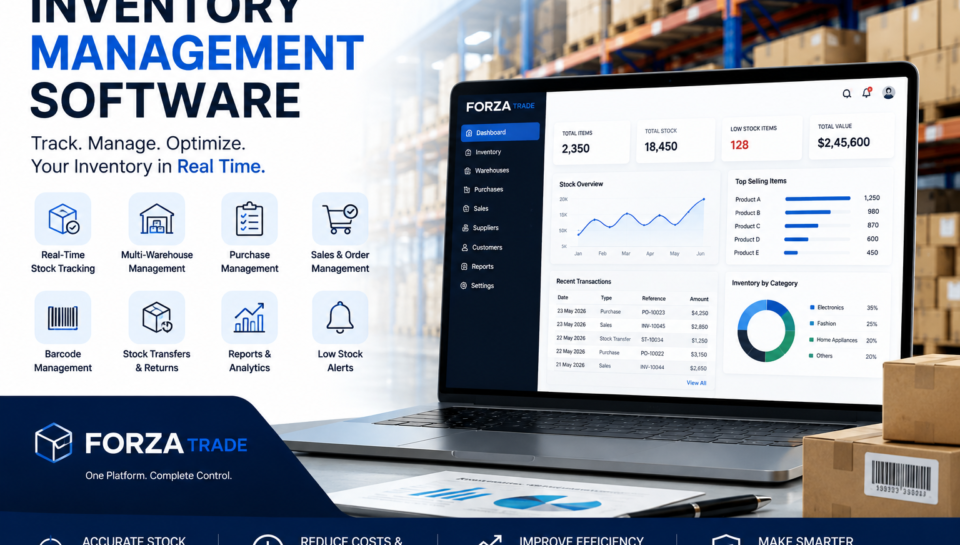
FORZA Trade is an integrated ERP solution designed for trading companies, wholesalers, distributors, and warehouse-driven businesses.
Rather than managing inventory separately from purchasing, sales, accounting, and warehouse operations, FORZA Trade brings these processes together.
Key features include:
- Inventory Management
- Warehouse Management
- Purchase Management
- Sales Management
- Barcode Management
- Customer Management
- Supplier Management
- ERP Accounting
- Reports & Analytics
- Business Intelligence
This gives businesses a centralized view of their operations and helps reduce the manual work involved in managing inventory.
A Better Way to Manage Trading Operations
If you’re looking for inventory software that can also connect purchasing, sales, warehouses, and accounting, FORZA Trade provides a complete ERP-based approach.
How to Choose the Best Inventory Management Software
Choosing inventory software is an important business decision.
Before selecting a solution, consider the following.
1. Understand Your Requirements
Start by identifying what you actually need.
Do you have one warehouse or multiple locations?
How many products do you manage?
Do you need barcode scanning?
Do you need accounting integration?
Understanding these requirements will make the selection process easier.
2. Check Multi-Warehouse Support
If your business operates multiple locations, make sure the software can track inventory separately across warehouses.
3. Look for ERP Integration
Inventory shouldn’t operate in isolation.
Integration with purchasing, sales, accounting, and warehouse management can provide much greater value.
4. Evaluate Reporting
Look for real-time dashboards and detailed inventory reports that help management make informed decisions.
5. Consider Scalability
Your inventory system should support your business as you add products, users, warehouses, and branches.
6. Prioritize Ease of Use
The best system is one employees can actually use efficiently.
A complicated platform can create more problems than it solves.
Who Can Benefit From Inventory Management Software?
Inventory software can be useful for a wide range of businesses, including:
- Trading Companies
- Wholesale Businesses
- FMCG Distributors
- Electronics Traders
- Auto Parts Suppliers
- Building Material Suppliers
- Hardware Businesses
- Fashion Businesses
- Mobile & Accessories Dealers
- Healthcare Distributors
- Import & Export Companies
- Multi-Warehouse Businesses
Take Control of Your Inventory with FORZA Trade
Inventory shouldn’t be something your team has to constantly chase.
If employees are spending hours updating spreadsheets, checking stock manually, or preparing inventory reports, it may be time to move to an integrated system.
With FORZA Trade, businesses can manage inventory, purchasing, sales, warehouses, accounting, customers, and suppliers from one centralized ERP platform.
Whether you’re a wholesaler, distributor, trading company, or a growing business with multiple warehouses, FORZA Trade helps bring greater control and visibility to everyday operations.
Ready to Improve Your Inventory Management?
See how FORZA Trade can help your business manage stock more efficiently and connect inventory with the rest of your operations.